How much time does a food label printer actually save?
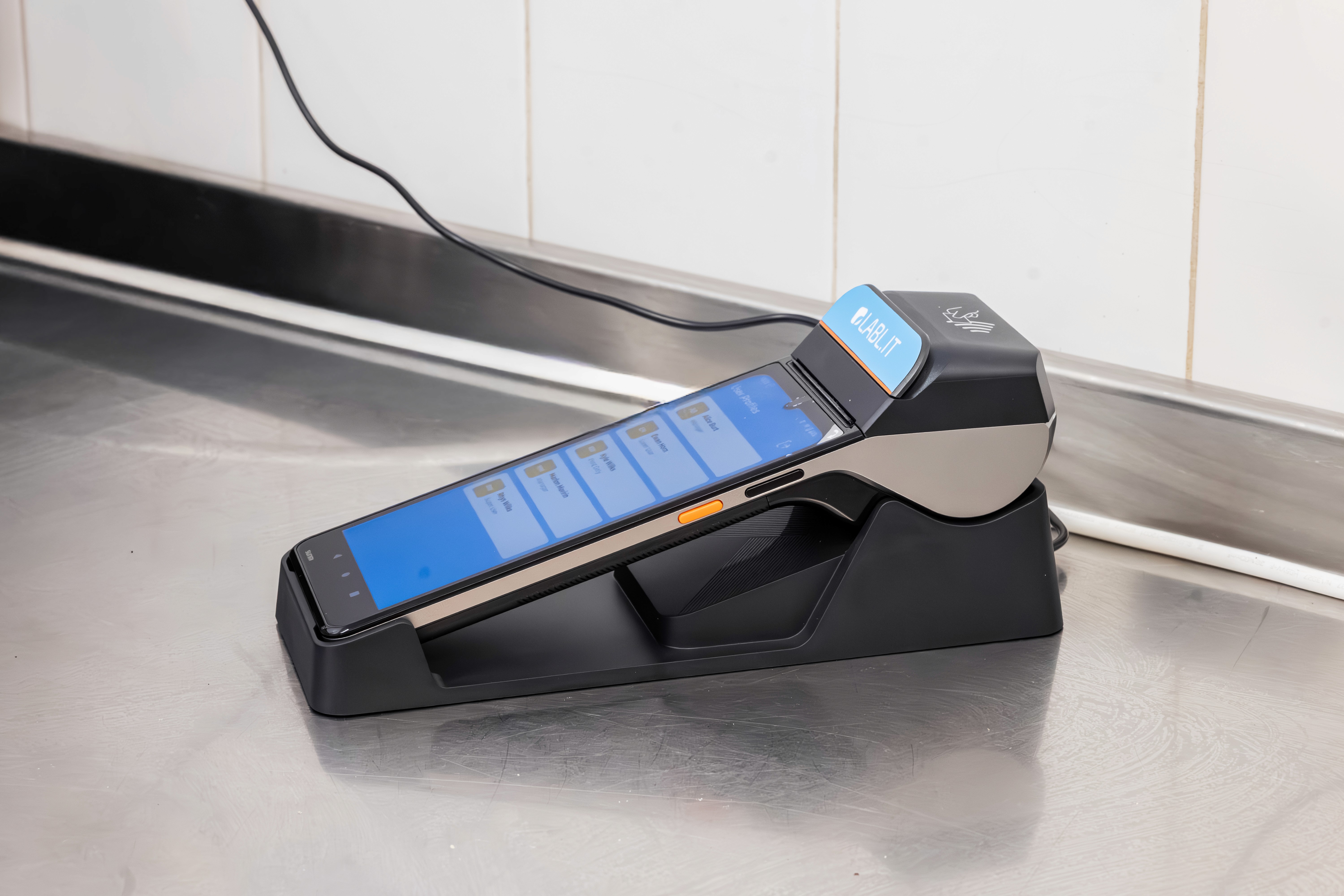
The short answer? A Labl.it food label printer typically removes around 75% of the admin time your kitchen spends on labelling. For a single site, that's a minimum of around three hours a month, but in practice most kitchens save considerably more. The time saving comes from two places: printing a single label is roughly three times faster than handwriting one, and surrounding admin like manual expiry checks and reporting largely disappears.
Key takeaways
Printing a label is around three times quicker than handwriting one
With bulk printing, printing ten labels takes the same time as handwriting two or three
A typical single-site Labl.it customer prints 1,200 labels a month
Total labelling admin drops by up to 75%
A single-site kitchen saves at least three hours a month, and usually more
Savings scale with prep volume, staff numbers and number of sites
Reduced training time and inspection prep are real savings that sit outside the 75% figure
That's the headline anyway. But "how much time does it save?" is a fair question to be sceptical about, because most answers are vague. So here's a proper breakdown, of where the time actually goes, what a label printer changes, and what it doesn't.
Handwriting versus printing: a direct comparison
Handwritten labels | Labl.it | |
|---|---|---|
Time per label | Baseline | Three labels printed in the time it takes to write one |
A full prep run | One label at a time | Ten labels in the time it takes to handwrite two or three |
Working out the use-by date | Calculated from memory | Calculated automatically by storage method (vac packed, clingfilmed, chilled or frozen) |
Legibility | Varies by person, and by how busy the section is | Thermal printed, consistent every time |
Replacing a damaged label | Rewritten from scratch, or guessed | Scan the barcode on the original and it reprints in seconds |
Checking for out-of-date stock | Walking the chiller and reading every label | Items flag themselves through automated expiry alerts |
Record of what was prepped | None once the food has gone | Print log records every label and who printed it |
Reordering labels | Purchase order and a wait | Ordered from the device or back office on your existing payment method |
Overall labelling admin | Baseline | Up to 75% less |
Why "how long does it take to write a label?" is the wrong question
Ask a chef how long it takes them to write a label and they'll probably say a few seconds. Which is true, and it's part of the reason that labelling rarely gets treated as a time problem.
But actually writing the label is only a fraction of what handwritten labelling actually costs you. The rest is spread across the week in ways that don't show up as a single, obvious block of time: checking the chiller for out of date items (that Labl.it would have already alerted you about), redoing a label that's fallen off or smudged (instant with scan-to-reprint), walking someone new through how the kitchen does dates (Labl.it needs no training), or digging out records when the EHO turns up (Labl.it's reporting dashboard makes that easy).
None of these feel like labelling. All of them are.
That's the gap between the two figures you'll see quoted across our website. Printing a label is about three times quicker than handwriting one. But the total admin time saved is almost always around 75%, because the Labl.it printer also removes the work that surrounds the label.
The visible time: writing versus printing
Start with the part you can see.
A handwritten prep label needs the product name, prep date, use-by date, any allergens, and usually the initials of whoever made it. Done properly, that's a few seconds of writing and a few seconds of thinking. On average, a Labl.it device prints three complete, compliant labels, with all of that information on them, in the time it takes a person to handwrite one.
That ratio isn't fixed either, it gets better the more labels you need at once, which is useful in a commercial kitchen prepping food at scale. Using bulk printing, ten labels can be printed in the time it takes to handwrite two or three. A morning prep run that used to be a ten-minute writing job becomes a few quick taps.
A typical single site customer of Labl.it prints 1.2k labels a month, on average. At the scale, you're saving chunks of time just from printing labels, before you even start to consider anything else.
The invisible time: where most of the 75% comes from
This is the part that doesn't get measured, and it's the larger half of the saving. The points below have come from a huge range of customer feedback rather than a formal research study, so treat them as patterns we hear consistently rather than hardened figures.
Checking for out of date stock - in a manual kitchen, finding out-of-date food means physically going through the chiller, reading labels, and making judgement calls on anything unclear or smudged. Done properly as part of opening and closing checks, that's real time every single day. With automated expiry alerts and wastage tracking, items approaching or past their date flag themselves.
Reporting and record keeping - producing evidence of what was prepped, when, and by whom is straightforward when it is captured automatically at the point of printing. It's slow and unreliable when you're trying to reconstruct it later from paper. Automated reporting removes a task that managers usually do in their own time, freeing them up to focus on the things that matter to customers.
Redoing labels - handwritten labels can smudge, peel, get written over, or end up illegible to the next shift. Every one of those issues is a small piece of wasted time, and often a risky decision about whether the food underneath is safe to use. Labl.it labels carry a barcode, so a label can be scanned to reprint in seconds rather than someone recreating it from memory or guesswork.
Working out use-by dates - shelf life changes depending on what you do with the product. Vac packed, clingfilmed on a tray, or straight into the freezer all give different use-by dates. A device that calculates this for you removes the time wasted working it out, and the risk of getting it wrong. As Jose S at Capital City College puts it, the machine "takes that human error out of the equation".
Training new staff - teaching someone the kitchen's labelling system takes time, and inconsistency between people who were taught differently costs even more time later. A standardised, intuitive system with pre-loaded products takes those time costs away.
Reordering labels - Labl.it labels are easy to order via the device or back office, using the same payment method set up for the subscription cost. No more "we've run out" scrambling.
Inspection preparation - kitchens with a reliable labelling system spend less time prepping for an EHO visit, because there's nothing to tidy up or fix.
How to work out the saving for your own kitchen
If you want a number that reflects your organisation rather than an average, the calculation is outlined here:
Count your labels: Take one normal day and count how many labels get written, most operators significantly underestimate this number before they actually count it.
Time one properly: Not just the writing, but the whole process. Finding the pen, working out the date, writing it, sticking it on. Be honest about the thinking time.
Multiply, then divide by three: That will give you your printing time for the same volume, before you factor in bulk printing.
Add your weekly date checks and record keeping: This is the part most people leave out, and it's usually the bigger number.
Multiply by your hourly labour cost: Now the argument stops being about convenience and starts being about money. If your staff are salaried, then think about the other tasks and jobs that time would free them up to do.
What changes at scale?
The three-hour baseline is a single kitchen figure. It's a floor, not a ceiling, and it scales in a way that isn't linear.
Labl.it is built to be scalable, with enterprise-grade hierarchy, multi-site management capabilities and more. More staff means more people spending time labelling, more variation in how compliant those labels actually are, and more training. More sites means all of that repeated, plus the head office time trying to get visibility across kitchens. Centralised product management and user controls means every kitchen is working from the same version.
Jamie H, executive chef at Hilton Southampton, describes the effect on a high-volume operation as saving "loads of man hours per week". Cosmin P at Roxy Leisure makes the point that time saving runs in both directions - "not only for the managers to check the kitchen, but also for the staff members".
What these figures don't include
A few honest caveats, because the numbers above aren't universal.
There is setup time. With the Menu Analyser Tool, kitchens can upload their menu and get products and allergen lists ready to import into their back office in seconds, and most kitchens are up and running completely in minutes, but it isn't zero.
Low-volume kitchens save less. The saving scales with how much you prep and label. A site producing a small number of items per day will see a smaller return than a hotel kitchen turning over large volumes. The compliance and consistency benefits still apply, but the time saving is less significant.
Some of the biggest savings aren't in the 75%. Reduced training time, fewer mistakes to correct, and less time spent on inspection preparation are all real, consistently reported benefits of Labl.it that our headline figures don't consider.
The time saving isn't the whole case. Reduced food waste, better allergen control and stronger inspection outcomes often matter more to an operator than the hours. They're just harder to quantify.
Frequently asked questions
How much faster is a label printer than handwriting?
Around three times faster for printing an individual label, and considerably faster than that when printing in bulk.
How much admin time does a food label printer save overall?
Around 75%. That covers the full labelling workload, including expiry checking, reporting, and reprints, not just the act of producing the label, but it doesn't include training, inspection prep or other brilliant benefits of Labl.it.
Does it take long to set up?
Not at all, most kitchens are up and running in minutes.
Do staff need training to use it?
No, the device is designed for busy kitchens and works on a simple three-click process from your saved products. That being said, the support is there if you want it, with knowledge base articles, tutorial and feature videos, and our dedicated UK-based support team.
Is the time saving worth the cost?
For most kitchens the labour saving alone covers it, before you account for reduced food waste and increased compliance.
Try it in your own kitchen
The best way to answer "how much time will this save us?" is to actually try it. We offer a free 14 day trial, so you can try Labl.it in your own kitchen. If it isn't right for you, return it for free and pay nothing.


